How each feature works and why it's there.
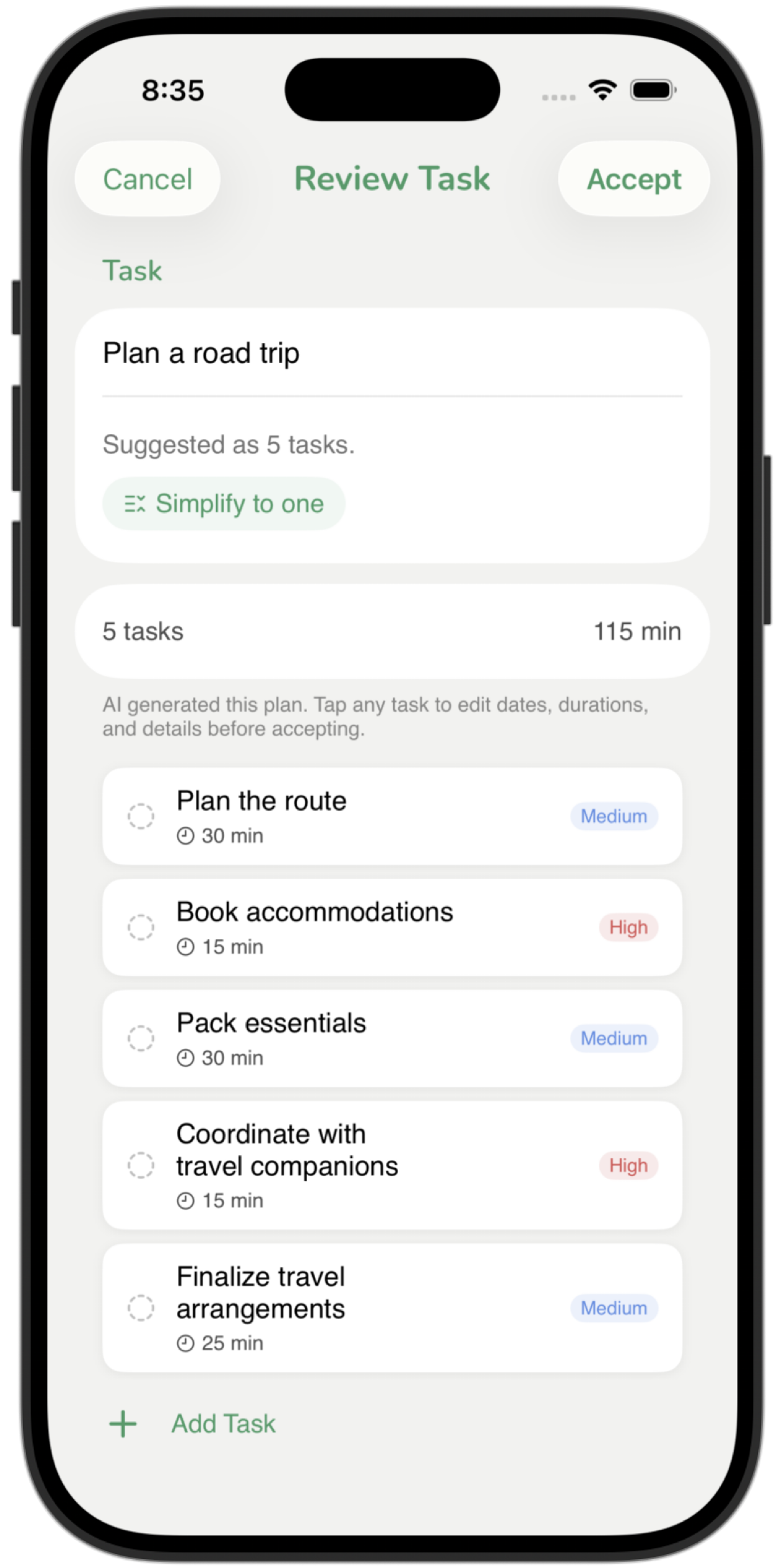
Some tasks need breaking down. Others don't. ReSpring figures that out automatically and generates a step-by-step plan when it makes sense. You can also trigger it yourself on any task. Everything runs on-device through Apple Intelligence.
How to use it
Let it happen automatically. When you add a task that looks like a bigger goal, ReSpring offers to break it down before it hits your list. Describe it in plain language. No special phrasing needed.
Or trigger it yourself. Tap Break down further on task creation to break it down further.
Review the generated plan. The AI produces a list of steps with time estimates. Read through before committing.
Edit freely. Rename steps, merge, remove, or add. The plan is a starting point, not a contract.
Confirm and add. Each step becomes a task in your list, ready to schedule, prioritize, or anchor.
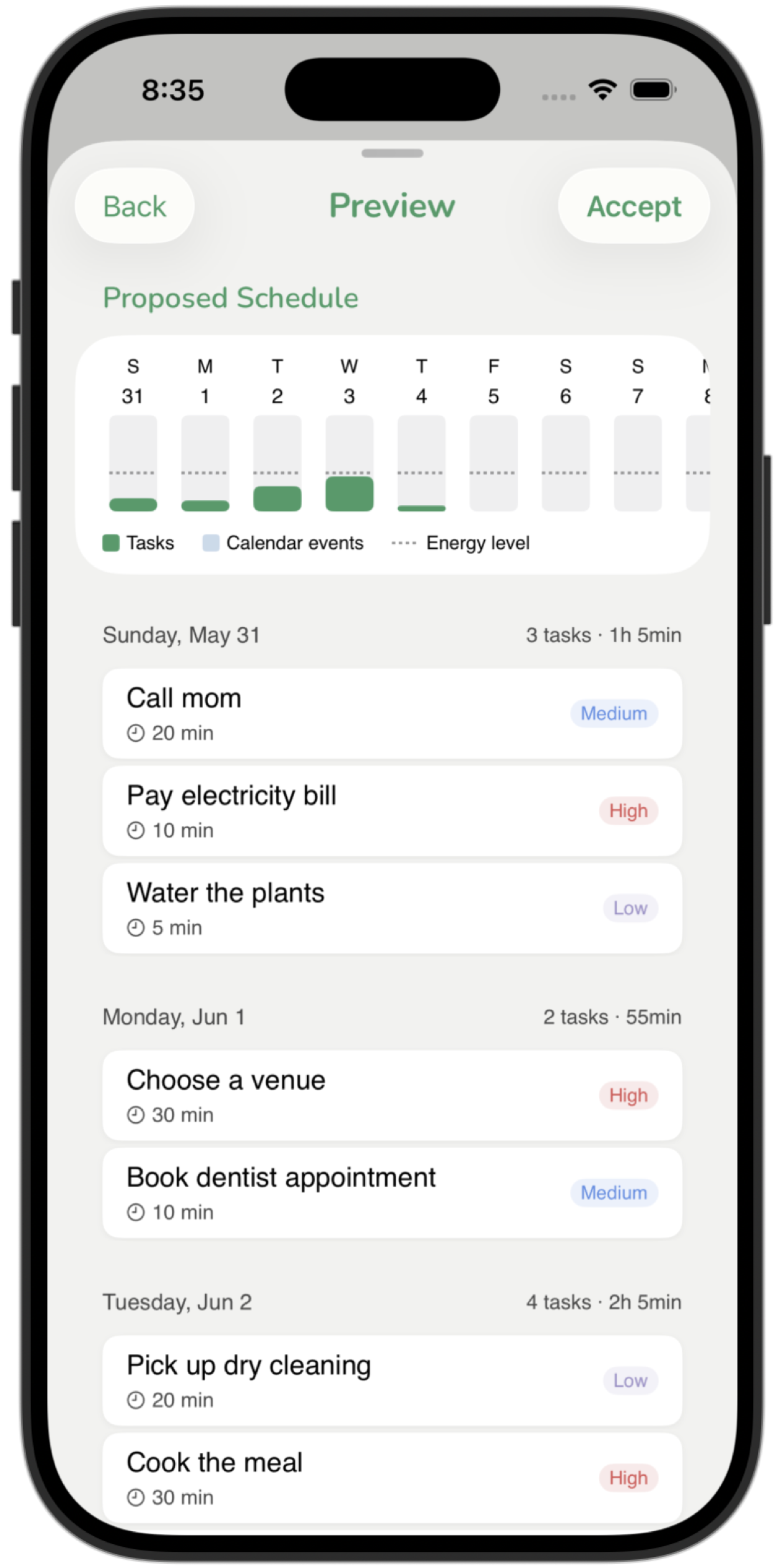
A bad day shouldn't become a bad week. When the list stops making sense, ReBalance redistributes everything across the days ahead, working around your calendar and respecting your available hours. You see the full proposed schedule before anything changes.
How to use it
Tap ReBalance whenever you need it. End of a rough day, after a long weekend, any time the list stops reflecting reality.
Set your energy level. Choose low, medium, or high. ReBalance loads each day accordingly.
Review the proposed schedule. See exactly which tasks land on which days, working around your calendar and available hours.
Confirm to apply. Adjust anything before confirming. Your Anchored task stays put.
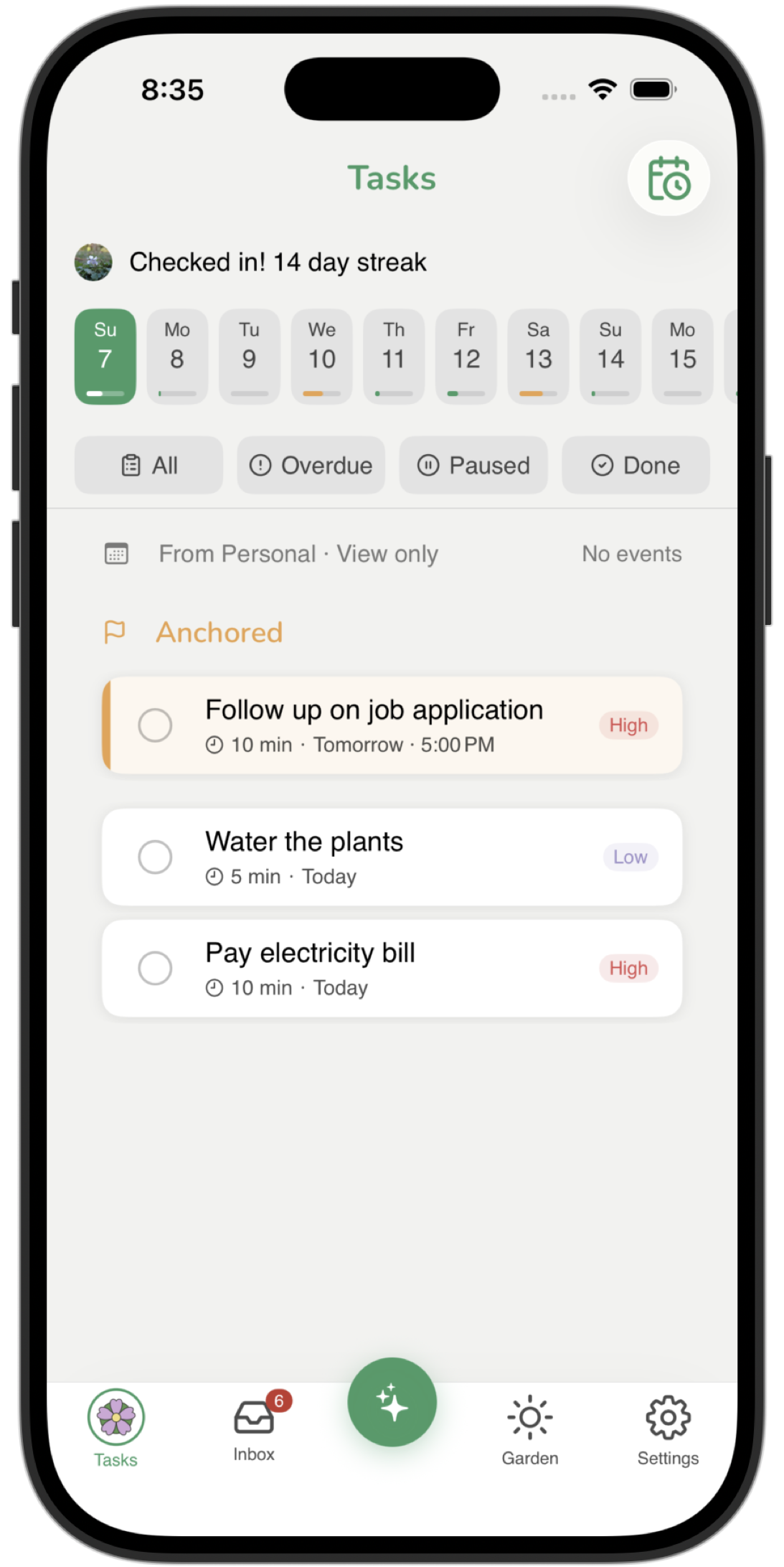
Some tasks can't afford to slip. Anchor pins one task at the top of your day and holds it there until it's done.
How to use it
Pick your most important task. You get one Anchor slot. Choose the task that, if you did nothing else today, would still make the day a success.
Tap the flag icon. The task pins above everything else and stays there across every view.
Receive reminders throughout the day. Up to three fire during your available hours, spaced so they don't pile up, until you complete or unanchor the task.
Keep dismissing and the app takes notice. After three dismissals the reminder copy gets more direct. After five, an inline prompt appears asking if you're still on it, with options to snooze or remove the anchor.
Deleting a task you're not ready for is a small defeat. You lose the context and recreate it from scratch later. Pausing is the honest alternative. The task steps out of your active list without disappearing, and comes back the moment you're ready.
How to use it
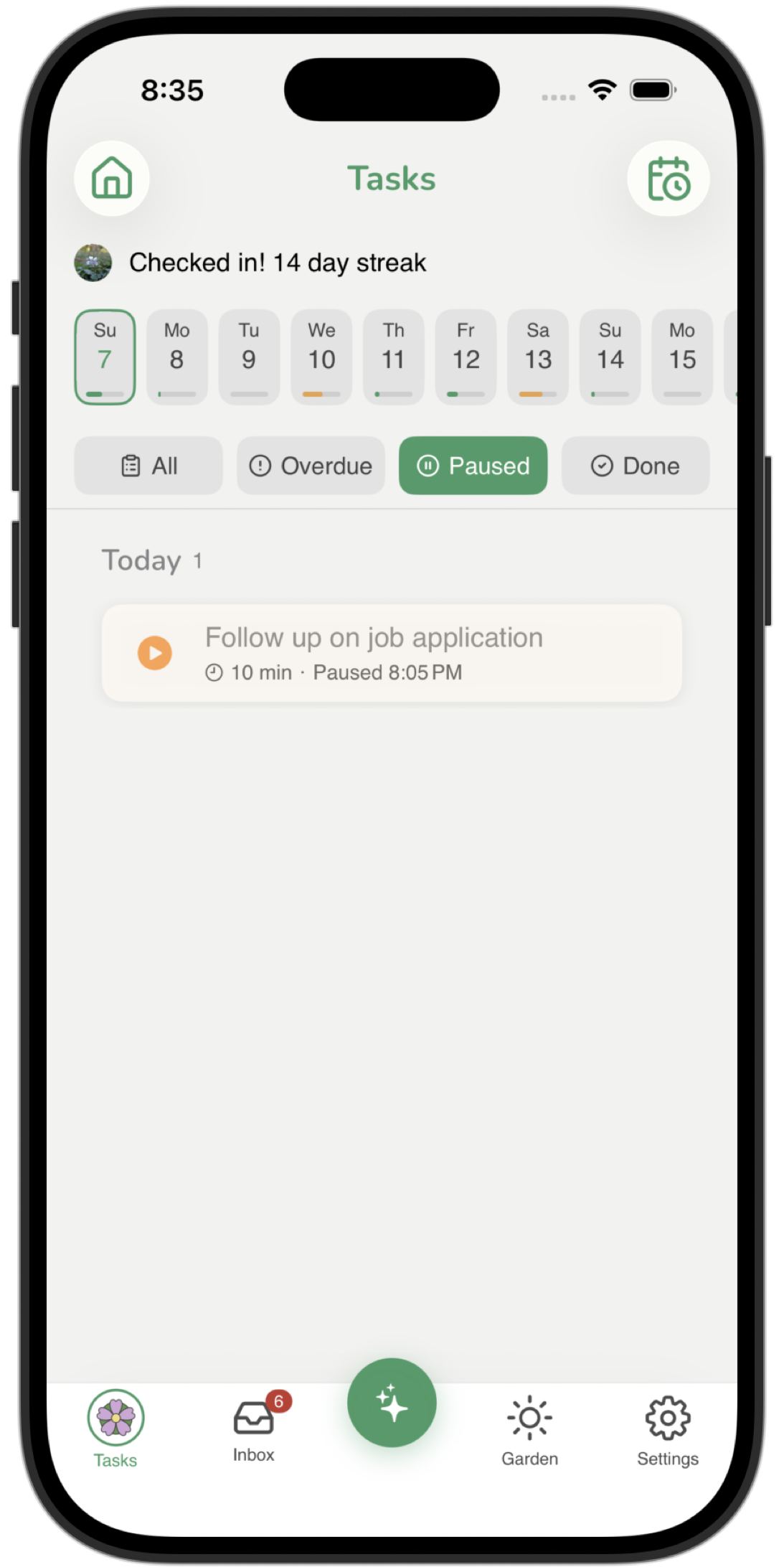
Pause any task. Swipe on a task or open it and tap the pause button. The task leaves your active list immediately.
Your active list stays clean. Paused tasks are invisible to your daily view, ReBalance, and Anchor. Out of the way, not gone.
Review paused tasks any time. Open the Paused view to see everything you've set aside. Notes, priority, and time estimate are exactly as you left them.
Resume with one tap. Tap Resume and the task returns to your active list, ready to be scheduled or anchored.
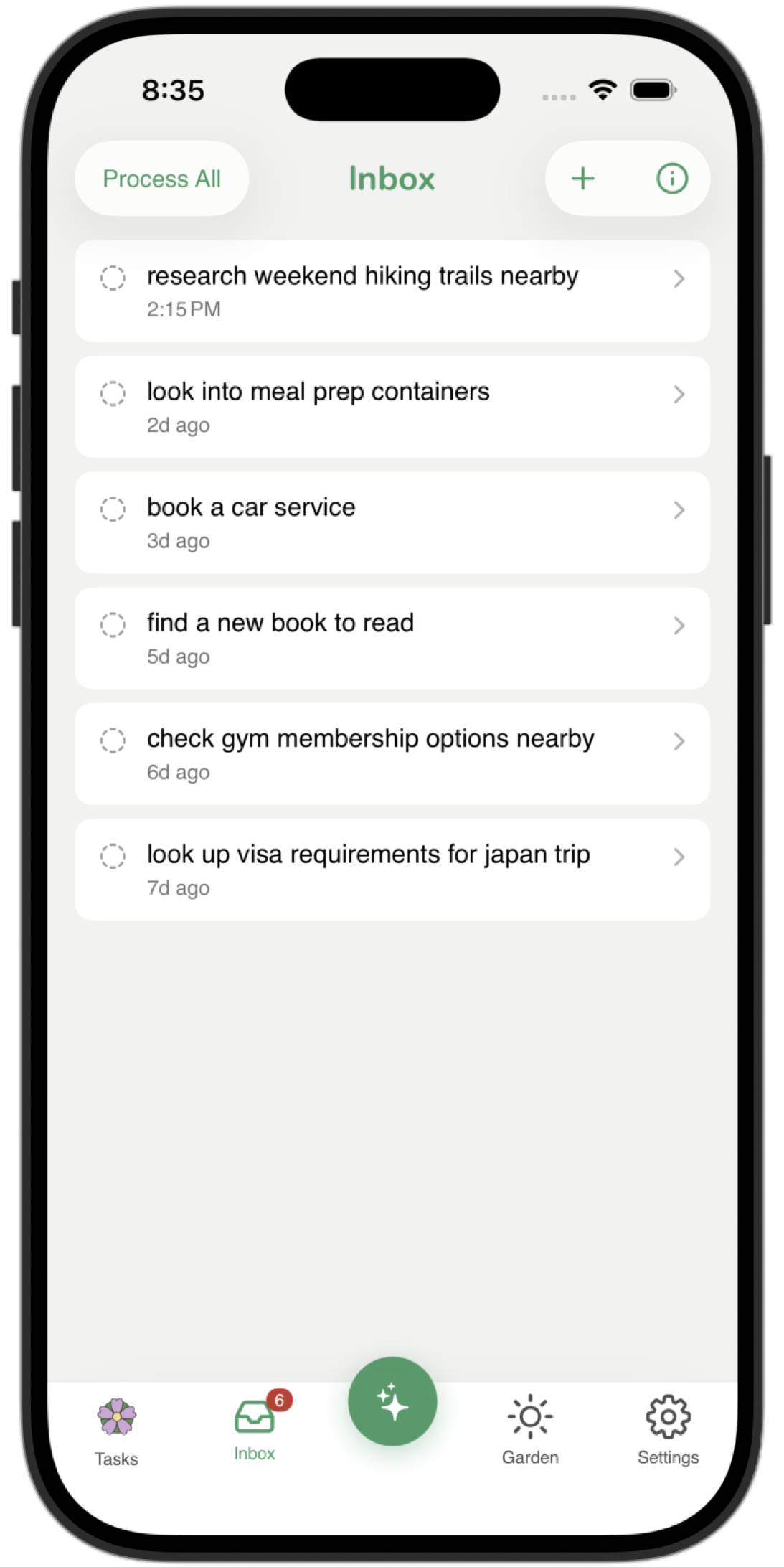
A thought that vanishes is a task that never happens. The Inbox is a frictionless drop zone. No priority, no due date. Just get it out of your head before it's gone.
How to use it
Capture from anywhere. Type or record a voice note in the Inbox tab. Use the widget or Siri to drop a thought into the inbox. "Hey Siri, add a task to ReSpring"
Let it sit. Come back when you have a clear moment. Items stay until you're ready.
Process it manually. Tap an item to turn it into a task with a time estimate, priority, and due date. The capture text becomes the title by default.
Or let AI structure it (Bloom). Tap Plan with AI on any inbox item and the on-device AI turns your raw thought into a structured task or a full step-by-step plan.
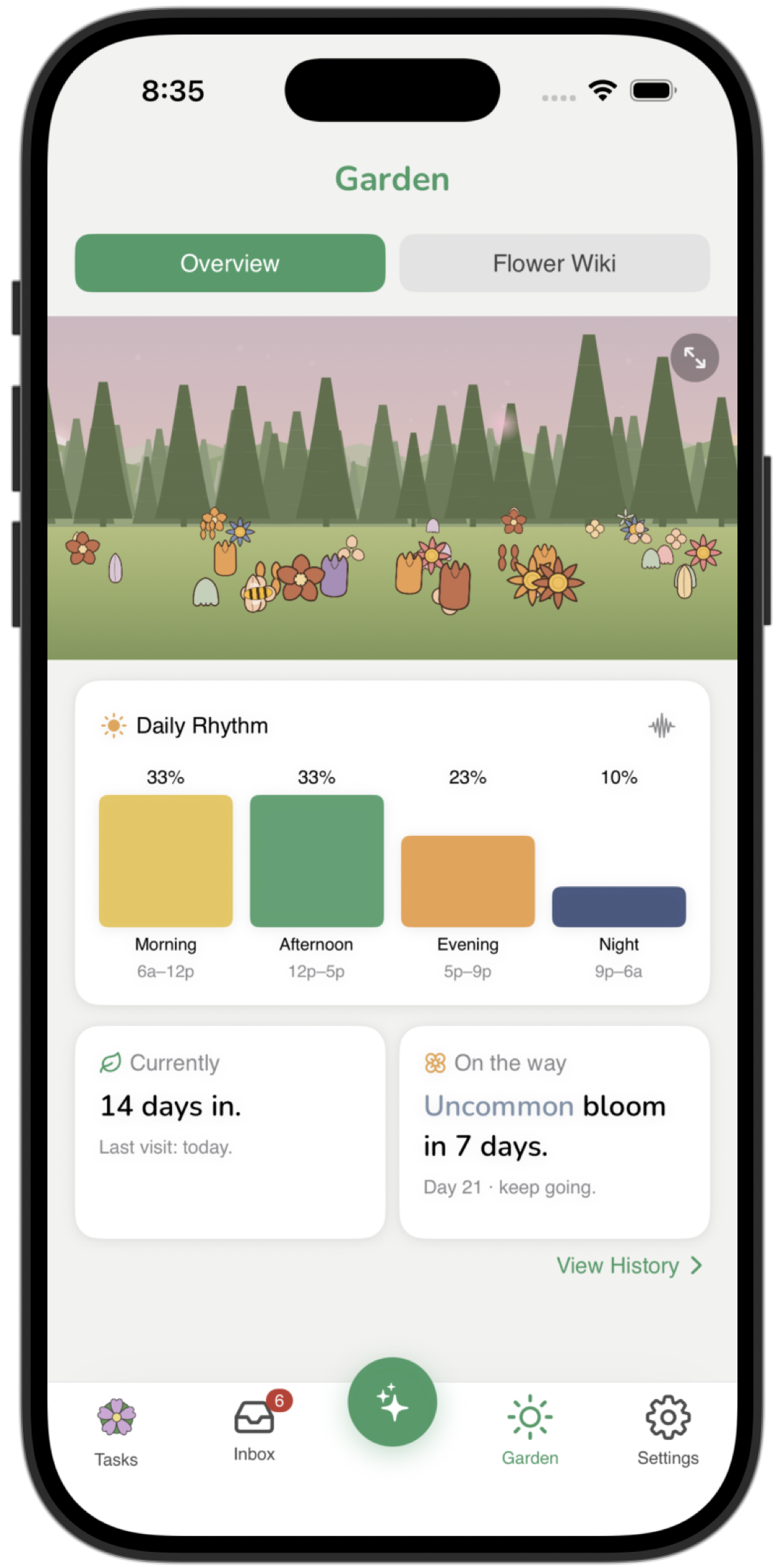
Most apps show you what's left. The Garden shows you what you've done. Every completed task blooms into a unique flower shaped by the season, time of day, and how long the task took. Over time it becomes a record of real effort.
How it works
Complete a task. The moment you mark a task done, a flower blooms in your garden.
Each flower is unique to that moment. Species is determined by season, time of day, and task duration. A long winter evening task produces a different species than a quick summer morning.
Explore the Flower Wiki. Tap any flower to see its species and what produced it. The Wiki tracks every species you've found and shows what you're still missing.
Upgrade to Bloom for a living garden. Seasonal particles, a sun and moon that track real time, bee companions, and the full seasonal color palette. Free users see a summer meadow. Bloom users see it change with the world outside.
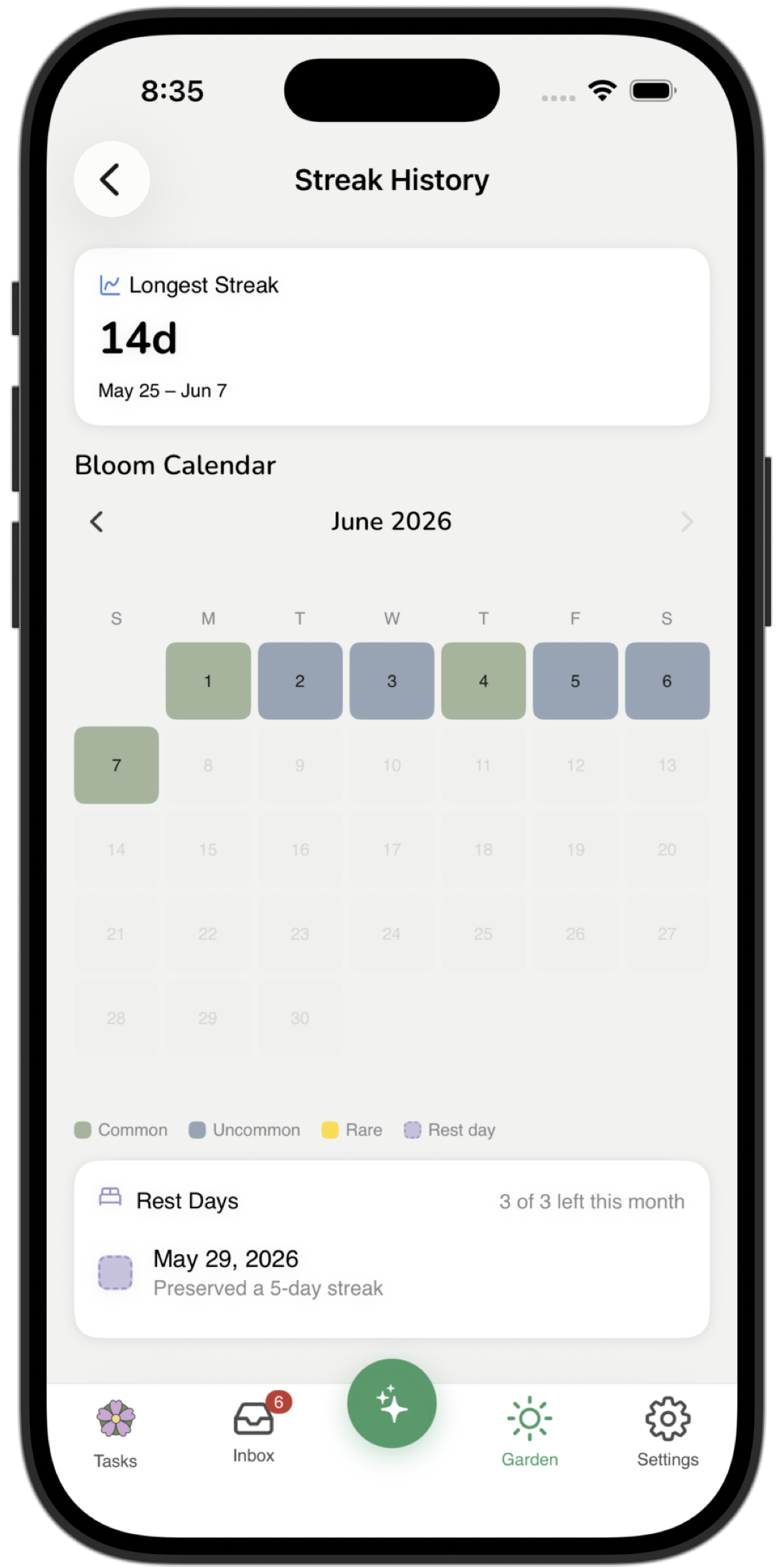
Building a daily habit is hard enough without being punished for missing one day. Streaks reward consistency, and rest days protect it. The goal isn't a perfect record, but rather, a pattern you can hold over months.
How it works
Complete at least one task each day to extend your streak. Any task counts. The bar is low on purpose. A slow day still keeps the habit alive.
View your streak history. The calendar shows every check-in, every rest day used, and your current streak at a glance.
Rest days protect your streak when life happens. Free users get one per month. Miss a day and ReSpring applies it automatically. Your streak stays intact.
Upgrade to Bloom for three rest days per month. More breathing room for the inevitable week where nothing goes to plan.